How to Remove Watermarks and Upgrade Your Video Quality with AI
Most video content gets reused. A clip shot for TikTok ends up on Instagram; a stock background gets dropped into a product ad; an AI-generated scene becomes the opener for a YouTube video. The problem is that reused footage almost always arrives with baggage — a watermark in the corner, burned-in subtitles in the wrong language, a logo from the tool that made it, or simply resolution too low to look good on a full-screen feed.
Cleaning that up by hand is tedious, and reshooting often isn't an option. This is where AI tools have quietly become essential for anyone publishing video at scale.
What Vmake Is
Vmake is an all-in-one UGC video generator that helps small businesses and creators generate, enhance, and optimize high-performing videos for acquisition, conversion, and growth. Two of its most-used tools tackle the cleanup problem head-on: a watermark remover and a video enhancer that work well in sequence.
Removing Watermarks, Subtitles, and Unwanted Objects
Vmake's video watermark remover handles far more than just logos. Its most heavily used capability is actually removing subtitles, captions, and on-screen text from short-form videos — useful across product clips, commentary videos, animation, and interviews. If you've ever wanted to repurpose a video but couldn't because someone burned the wrong text into it, this is the fix.
It also removes:
- Watermarks from major social platforms, editing tools, AI video generators, and stock media sites.
- Moving watermarks, using smart tracking to follow and erase them frame by frame.
- People or objects you don't want in the shot.
Two things make the results usable rather than just "erased." First, natural reconstruction: instead of leaving a blurry patch, the tool rebuilds the background and blends it into the surrounding texture. Second, manual control: you can select exactly which areas to remove and which to protect, so you're not at the mercy of automatic detection.
For teams running ads, there's a practical bonus. Platforms increasingly flag duplicate content, which makes reusing the same footage risky. Being able to clean and vary your clips helps you repurpose source material across channels without tripping those filters.
If you're processing more than one video, batch mode handles multiple files at once — and Vmake currently supports up to 30 videos per batch, a level of concurrency that few comparable tools offer.
Upgrading the Footage You Keep
Once a clip is clean, the next question is whether it's sharp enough to publish. Vmake's AI video enhancer is built to raise quality without the artificial, over-smoothed look that cheaper upscalers tend to produce.
Rather than just adding pixels, it generates new detail based on the original image, so footage holds up even when magnified heavily. It also strips out noise and artifacts without flattening texture, keeping natural grain intact. Specialized modes cover the situations that each need different handling:
- 4K+ upscaling that reconstructs fine textures like hair, fur, and skin pores.
- A portrait mode for restoring facial features and suppressing jitter.
- A product mode that rebuilds material surfaces and keeps text and graphics legible.
- A low-light mode for recovering detail in dark footage.
- Dedicated game and anime modes, including HUD and line-art repair.
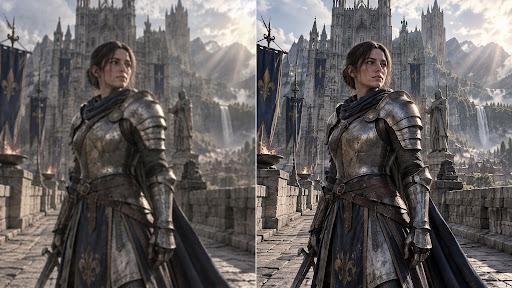
In side-by-side terms, the model leads on restoration across portraits, products, and general scenes — which matters most when you're trying to make repurposed or older footage look like it was shot fresh.
A Simple Workflow
Put together, the two tools form a clean pipeline. Take a clip you want to reuse, run it through the watermark remover to strip out logos, old captions, or unwanted objects, then send it through the enhancer to bring it up to a crisp, modern resolution. What started as an unusable file becomes a publish-ready asset — no reshoot required.
Who Benefits
This combination is especially valuable for marketers and small business owners repurposing footage across platforms, content creators turning long-form interviews and AI-generated stories into short clips, and anyone working with stock or generated video that arrives watermarked. If your work involves reusing video rather than always filming from scratch, clean removal plus strong enhancement is one of the highest-leverage workflows available.
-
 7 Best Photo Enhancer AI Tools in 2026
 -
Minecraft Copper Uses: The Ultimate Guide to Crafting & Building
-
A Complete Guide to Chick Empire Gameplay
-
Among Us Beans: Your Portal to Enhanced Gameplay and Style
-
Fap CEO Review: Master Business & Pleasure in the Ultimate Game Guide
-
Embark on an Epic Space Odyssey with Honkai Star Rail