
Unlock-r APK 1.3
| Name | Unlock-r |
|---|---|
| Compatible with | Android 8.0+ |
| Last version | 1.3 |
| Size | 12.14 Mb |
| Category | Tools |
| Developer | RoadPass Trading LTD. |
| Google Play Link |

|
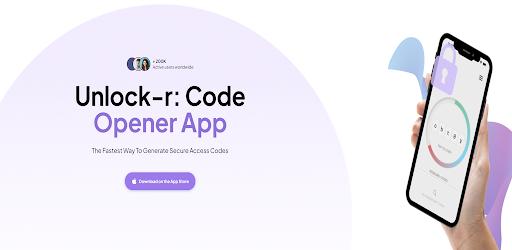
Unlock-r: Unlock-r APK helps Android users protect accounts with smart authentication, secure code generation, and a smooth experience designed for modern digital security.
What is Unlock-r APK?
Unlock-r APK is a smart authentication application designed to help users secure their online accounts through time-based verification codes. Instead of relying only on passwords, Unlock-r adds an extra security layer by generating temporary codes that refresh continuously, making unauthorized access significantly harder. Built for Android users who care about privacy and safety, Unlock-r APK offers a clean interface, fast performance, and compatibility with many popular platforms such as email services, cloud tools, social networks, and productivity apps. For young, tech-oriented users who interact with multiple apps every day, Unlock-r APK acts as a reliable digital key that keeps personal data protected without complicating the login process.
What's special about Unlock-r Free?
Unlock-r Free stands out thanks to its balance between accessibility and security. Users can enjoy essential authentication features without feeling overwhelmed by complex settings or unnecessary steps. The app focuses on usability, allowing quick setup, easy account management, and smooth daily use. What makes Unlock-r Free appealing is its modern design, fast code generation, and strong privacy orientation. It delivers a sense of control and confidence, especially for users who manage several applications or online services at the same time. This combination of simplicity and effectiveness creates a satisfying experience that feels both secure and rewarding.
Awesome Features of Unlock-r for Android
Advanced Time-Based Authentication: Generates dynamic, time-sensitive security codes that refresh automatically, significantly reducing the risk of unauthorized access across multiple platforms.
Seamless Multi-Account Management: Allows users to manage dozens of services in one centralized dashboard, ideal for gamers, developers, and app enthusiasts juggling many accounts.
Instant QR Code Integration: Supports fast QR scanning to add new services accurately in seconds, minimizing setup errors and saving valuable time.
Offline Code Accessibility: Ensures authentication codes remain available even without an internet connection, perfect for travel or low-connectivity environments.
Local Data Encryption: Stores all sensitive information securely on the device using strong encryption, keeping personal data under full user control.
Optimized Android Interface: Designed specifically for Android with smooth navigation, responsive performance, and minimal battery consumption.
Privacy-First Architecture: Operates without unnecessary data sharing, giving users confidence that their authentication data stays private.
Customization Options: Enables interface adjustments such as layout preferences and display modes for a more personalized experience.
Best Tips for Using Unlock-r like a Professional
Organize Accounts Strategically: Group and label your services clearly so you can locate the right authentication code instantly when logging in.
Secure Your Device First: Always enable screen locks, biometrics, or system-level security to reinforce protection beyond the app itself.
Use QR Setup Whenever Possible: QR-based configuration ensures accuracy and speeds up the process when adding new platforms.
Create Regular Backups: Safely back up your authentication data following recommended methods to avoid access issues when switching devices.
Stay Updated: Install the latest version to benefit from performance improvements, enhanced security measures, and smoother usability.
Test Offline Access: Occasionally verify that codes work without connectivity so you’re prepared for real-world scenarios.
Explore Advanced Settings: Spend time reviewing available options to fine-tune notifications, layouts, and workflows to match your daily habits.
Pros and cons of Unlock-r latest version
Pros:
Strong focus on privacy and data protection
Fast and reliable authentication process
User-friendly design for daily use
Works offline, ideal for travel or limited connectivity
Suitable for both personal and professional use
Cons:
Requires careful backup management to avoid data loss
Limited advanced customization for highly technical users
Depends on device security for maximum protection
User experience
From a user’s perspective, Unlock-r delivers a reassuring sense of control over digital security. The app feels lightweight yet powerful, handling authentication smoothly without slowing down the device. Many users appreciate how easy it is to add accounts and generate codes within seconds. The clean layout reduces confusion, making daily logins feel effortless rather than stressful. Over time, Unlock-r becomes a trusted companion, especially for users who rely on multiple apps and services and want a dependable solution that simply works.
Conclusion
Unlock-r APK is a practical and well-designed authentication solution for Android users who value security, simplicity, and reliability. With its smooth performance, essential features, and privacy-focused approach, it fits perfectly into the digital lifestyle of young, tech-savvy users. If you are looking for an effective way to strengthen account protection while keeping the experience simple and enjoyable, Unlock-r APK is a strong choice worth exploring and downloading today.